Assignment / Weighted Grade Calculator
Enter your assignments with grades and weights to calculate your overall course grade. Supports percentage and letter grades.
| Assignment / Exam (Optional) | Grade | Weight | Letter |
|---|
🎯 Final Grade Planning (Optional)
Final Exam Grade Calculator
Find out what grade you need on your final exam to achieve your desired overall course grade. Accepts percentages and letter grades.
Grade Scale & GPA Reference
Standard US letter grading scale with corresponding GPA values and percentage ranges used by most colleges and universities.
| Letter Grade | GPA Value | Percentage Range | GPA Visual |
|---|
About Letter Grades
Letter grades provide a standardized way to communicate student performance. In 1887, Mount Holyoke College became the first college to use letter grades similar to those used today, with A–E (E for failing). The letter F was introduced later as the failing grade.
There is still significant variation among institutions regarding exact percentage cutoffs and whether plus/minus grades (A+, B-) are used. The scale above reflects the most widely adopted system across US colleges and universities.
GPA (Grade Point Average) is typically calculated on a 4.0 scale. An A earns 4.0 points, and the scale decrements as grades decrease, with F earning 0.0 points.
what is Grade Calculator?
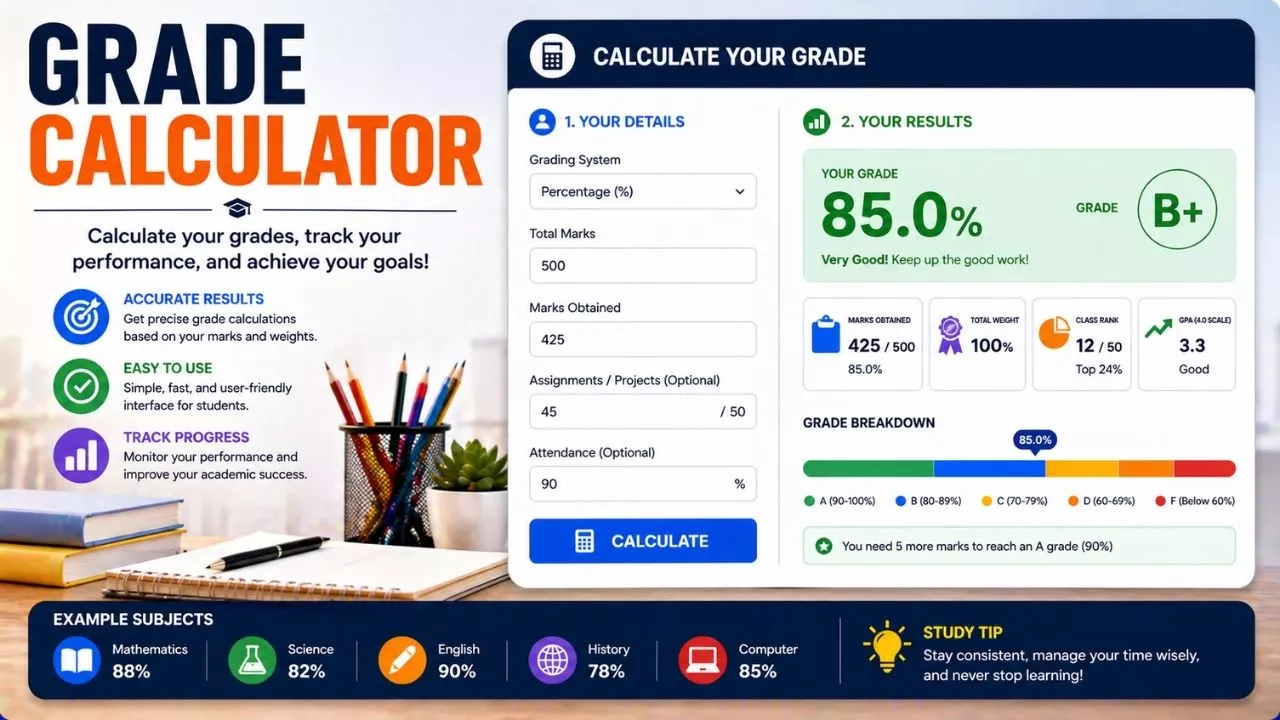
A grade calculator is a simple tool that helps you figure out your academic scores without guesswork. Instead of trying to mentally add numbers or estimate your final result, this tool gives you an exact answer based on the marks you already have. It can be used for tests, assignments, quizzes, and even full courses.
In most schools in the United States, grades are based on percentages. That means your performance is measured out of 100. For example, if you score 45 out of 50 on a test, a calculator can quickly convert that into a percentage, which is 90 percent. This makes it easier to understand how well you are doing.
A grade calculator can also help when different assignments have different importance. Some tasks count more than others. For example, a final exam might be worth 40 percent of your grade, while homework might be worth only 10 percent. A calculator can combine these parts correctly to show your final score.
The best part is that you do not need to be great at math to use one. You just enter your scores and weights, and the tool does the work for you. This makes it useful for students of all levels who want to stay on top of their progress.
Why a Grade Calculator Is Helpful
Keeping track of grades can feel confusing, especially when you have many subjects and different types of assignments. A grade calculator helps remove that confusion and gives you a clear picture of where you stand.
One of the biggest benefits is planning ahead. If you know your current grade, you can figure out what score you need on your next test to reach your goal. For example, if you want an A in a class, you can calculate the exact score needed on the final exam.
It also reduces stress. Instead of worrying about whether you are doing well enough, you can check your actual numbers. This makes studying feel more focused and less overwhelming.
Another advantage is better time management. When you see which classes need improvement, you can spend more time on those subjects. This helps you use your time wisely instead of guessing where to focus.
Parents and teachers can also benefit from grade calculators. They can quickly understand a student’s performance and provide support where needed. Overall, it turns grades into something clear and manageable instead of confusing and uncertain.
How Grades Are Calculated
To understand how a grade calculator works, it helps to know the basic math behind it. Most grades are calculated using percentages. This means you compare the points you earned to the total points possible.
For example, if you scored 18 out of 20 on a quiz, you divide 18 by 20. This gives you 0.9. Then you multiply by 100 to get 90 percent. This is your percentage grade.
Sometimes, classes use weighted grades. This means some assignments count more than others. For example:
- Homework might be 20 percent
- Quizzes might be 30 percent
- Tests might be 50 percent
To calculate your final grade, you multiply each category score by its weight. Then you add all the results together.
Here is a simple example:
- Homework average is 80 percent, so 80 times 0.2 equals 16
- Quiz average is 90 percent, so 90 times 0.3 equals 27
- Test average is 85 percent, so 85 times 0.5 equals 42.5
Add them together and you get 85.5 percent as your final grade.
A grade calculator performs these steps instantly, saving you time and reducing mistakes.
Common Grading Systems in the United States
Schools in the United States use several grading systems, but the most common one is the letter grade system. This system turns percentages into letters that represent performance.
Here is a basic breakdown:
- A is usually 90 to 100 percent
- B is 80 to 89 percent
- C is 70 to 79 percent
- D is 60 to 69 percent
- F is below 60 percent
Some schools also use plus and minus grades, like B plus or A minus, to give more detail. For example, an 88 percent might be a B plus instead of just a B.
Another system you might see is the GPA, which stands for Grade Point Average. This is a number that represents your overall performance across all classes. It is usually measured on a scale from 0 to 4. For example, an A might equal 4 points, while a B equals 3 points.
A grade calculator can work with all these systems. It can convert percentages into letter grades or even help estimate your GPA. This makes it a flexible tool that fits different school requirements.
How to Use a Grade Calculator
Using a grade calculator is simple and does not take much time. First, gather all your scores. This includes test marks, quiz results, homework grades, and any other assignments.
Next, find out how much each category counts toward your final grade. Your teacher or syllabus will usually provide this information.
Once you have your scores and weights, enter them into the calculator. Most tools will ask for:
- Your score for each assignment or category
- The total possible score
- The weight of each category
After entering the data, the calculator will show your current grade or final grade instantly.
Some calculators also allow you to predict future results. For example, you can enter a possible score for an upcoming test to see how it will affect your overall grade.
This feature is especially useful for setting goals. If you know you need at least 85 percent on a final exam to get a B, you can focus your study efforts on reaching that target.
Building Your Own Simple Calculator
You do not always need an online tool to calculate your grades. You can create a simple calculator using basic math or even a spreadsheet.
Start by listing your assignments and their scores. Then write down the total possible points for each one. Divide your score by the total and multiply by 100 to get the percentage.
If your class uses weighted categories, create separate sections for each category. Calculate the average for each section, then multiply by its weight.
Using a spreadsheet program like Excel or Google Sheets makes this even easier. You can set up formulas so the calculations update automatically when you enter new scores.
For example, you can use a formula to calculate percentages and another to combine weighted scores. This saves time and helps you avoid mistakes.
Creating your own calculator also helps you understand how grading works. Once you know the process, you will feel more confident about tracking your progress.
Tips for Getting Better Grades
A grade calculator is helpful, but it works best when combined with good study habits. One useful tip is to check your grades regularly. This helps you spot problems early and fix them before they grow.
Another tip is to focus on high value assignments. Since some tasks count more than others, doing well on those can have a bigger impact on your final grade.
Staying organized is also important. Keep track of due dates, scores, and feedback from teachers. This makes it easier to enter accurate information into your calculator.
Practice and review are key. Instead of studying only before a test, review your notes regularly. This helps you remember information better and improves your performance over time.
Finally, ask for help when needed. Teachers, classmates, and online resources can all support your learning. A grade calculator shows where you stand, but your effort and strategy determine where you go.
Common Mistakes to Avoid
Even though grade calculators are simple, people sometimes make mistakes when using them. One common error is entering incorrect data. For example, typing the wrong score or forgetting to include an assignment can lead to inaccurate results.
Another mistake is ignoring weights. If you treat all assignments equally when they are actually weighted differently, your final grade will not be correct.
Some students also rely too much on estimates instead of actual numbers. Guessing your scores might seem quicker, but it reduces accuracy. Always use real data whenever possible.
Forgetting to update the calculator is another issue. As you complete new assignments, you should add them to keep your grade current. Otherwise, you might be working with outdated information.
Lastly, do not assume the calculator replaces effort. It is a tool to guide you, not a shortcut to success. Understanding your grades is helpful, but improving them requires consistent work.
Digital Tools and Smart Use
Today, many grade calculators are available online or as mobile apps. These tools are easy to access and often include extra features like goal tracking and reminders.
Some apps allow you to store grades for multiple classes, making it easier to manage your entire schedule in one place. Others can send alerts when your grade drops below a certain level.
When using digital tools, it is important to choose reliable ones. Look for tools that are simple, accurate, and easy to understand. Avoid overly complicated apps that might confuse you.
You should also be careful about privacy. Do not enter personal information unless the tool is trustworthy. Stick to basic grade data and avoid sharing sensitive details.
Using digital grade calculators wisely can save time and keep you organized. Combined with good study habits, they can play a strong role in helping you succeed academically.